How to use Kling AI: Kling 4.0 setup, pricing and commercial use
A guide to Kling AI, the video generator from China's Kuaishou, updated for the new Kling 4.0 model. It covers signing up, making your first video, free credits and paid plans, and what to check on commercial use, rights and data. We also look back at what our 2024 article got right.
 By Jeensuk Yang
HowtoAI · AI video · Latest
?Who this is for
- You looked up how to use Kling AI, and the screens in older guides no longer match
- You want to make short product or social videos with AI, quickly
- You want to know how far the free plan goes, and whether you can use the videos for work
!What you will learn
- Where Kling AI stands in October 2026, and what Kling 4.0 can do
- How to go from sign-up to a saved video, and how the plans differ
- What to watch for on commercial use, rights and data

Hi, I'm Hikari.
Kling AI kept growing after we wrote our 2024 guide, and in October 2026 it released a new model, Kling 4.0. In this article I'll walk you through where Kling AI stands now, how to get started and make a video, what it costs, and what to check before you use it for work. At the end, we'll look at how our 2024 article held up.
Where Kling AI stands now
Kling AI is an AI video generator built by Kuaishou Technology, a Chinese short-video platform company. It turns text or images into short videos. An international beta opened in July 2024, and we published our how-to right after, in August 2024.
The service is still running as of October 2026. On October 15, a new model, Kling 4.0, was released to all users. According to the company's announcement, Kling AI has more than 100 million users worldwide and more than 50,000 business customers.
Here are the main changes since our 2024 article, in order.
| When | What happened |
|---|---|
| Jul 2024 | International beta opens. You could sign up with an email address, and new users got 66 free credits a day. Videos were up to 5 seconds. |
| Aug 2024 | We publish our guide to using Kling AI, written in Japanese. |
| Jan 2025 | The iPhone app, "Kling AI: AI Image&Video Maker," is released (per App Store records). It is available on the US App Store today. |
| Jan 31, 2026 | Kling 3.0 rolls out to everyone. It improves on generating video and sound together (first introduced with Kling 2.6 in December 2025) and adds storyboard-style, scene-by-scene generation. |
| Mar 16, 2026 | Team asset sharing and a desktop app arrive. |
| Apr 23, 2026 | 4K video generation is supported. |
| Jun 17, 2026 | Kling 3.0 Turbo is released. |
| Oct 15, 2026 | Kling 4.0 and Kling 4.0 Flash, a faster version, are released, along with a redesigned creation screen. |
You can use it in the US. The website and the iPhone app are in English, and prices are in US dollars. Your contract, though, is with Kling AI Pte. Ltd., a Singapore company, and the terms are governed by Singapore law. Disputes go to binding arbitration in Singapore, not to a US court (Terms of Service, section 13).

HIKARI'S TAKEKling AI is far from finished. In two years it has moved all the way to version 4.0. It works in English and charges in dollars, but keep in mind that you are signing up with a Singapore company.
Getting started with Kling AI
You can use Kling AI in a desktop browser (kling.ai) or in the mobile app. The browser is the easiest place to start. Here is the sign-up flow as we checked it on October 26, 2026.
- Go to kling.ai.The site is available in English, and you can switch languages from the menu.
- Sign up from "Sign In."You can choose a Google account, an Apple account or an email address. Continuing means you accept the Terms of Service and Privacy Policy, so read them first. You must be at least 13, and minors need a parent or guardian to register for them (Terms of Service 2.1).
- Claim your free credits.If you are not on a paid plan, you can claim free credits each month when you log in. Check the expiry on the creation screen.
- Try it within the free limits.You can make one video per generation, at 720p. 1080p, 4K and watermark removal are for paid plans.
Credits are the points you spend each time you make a video or image. How many you use depends on the model, the video length, the resolution and the number of videos.
HIKARI'S TAKESigning up with Google, Apple or email takes a few minutes. You get free credits every month, so start by trying a few 720p videos.
How to use Kling AI: making a video with Kling 4.0
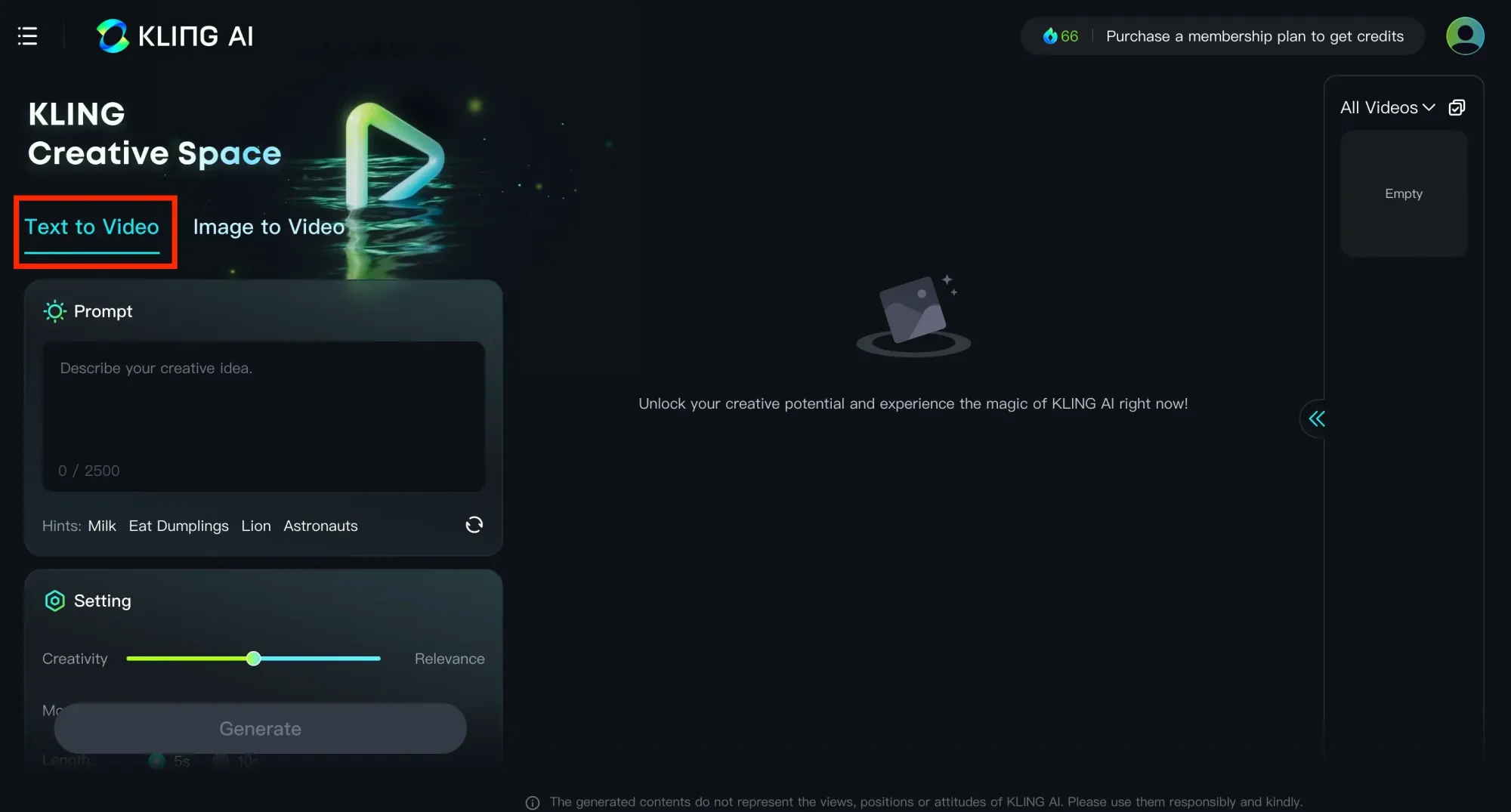
In 2024, you picked "AI Videos" in the left menu and switched between "Text to Video" and "Image to Video."
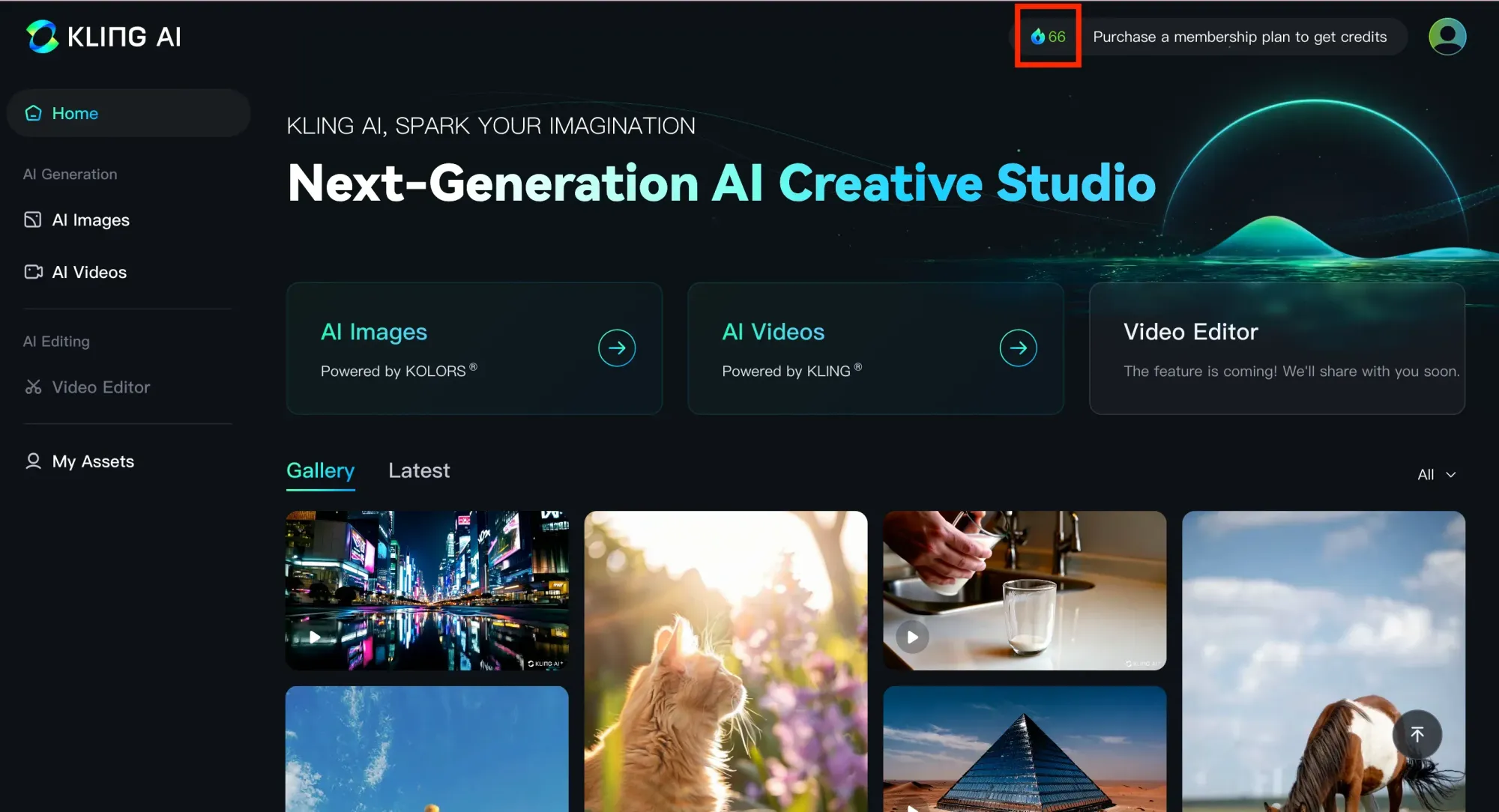
The left menu now has four items: Home, Generate, Canvas and Assets. In the input box in the middle, you describe the scene, or upload images, videos, people or voices to use as references. You can work from text alone, images alone, or both.
- Describe the scene.Who is doing what, and where. Adding camera movement and lighting gets you closer to what you have in mind.
- Add references (optional).Upload a product photo or a picture of a person, then call it up with "@" to point to it in your text.
- Choose your settings.Below the input box, choose the model (Kling 4.0 by default), resolution, length, aspect ratio and number of videos. The defaults we saw were 720p, 10 seconds, 16:9, one video.
- Press "Generate."Check the result in the preview, and download it if you like it.
Kling's official release note lists these main specs for Kling 4.0.
| Item | Kling 4.0 |
|---|---|
| Ways to create | Text to video, image to video, first and last frame, keyframes (up to 10) |
| Length | 3 to 30 seconds |
| Resolution | 720p / 1080p / 4K |
| Aspect ratio | 21:9 / 16:9 / 1:1 / 9:16 / Auto |
| Audio | Two-channel stereo. Dialogue in English (with American, British and Indian accents), Chinese, Japanese, Korean, Spanish and more |
| On-screen text | Can generate text in English and many other languages |
| References | Up to 10 images and 5 videos (30 seconds in total), up to 15 items altogether |
The same release note says 10-bit HDR output at 4K and 1080p is "coming soon." You can also choose Kling 4.0 Flash, which is built for speed and lower cost.
The prompting tips from our 2024 article still help. Be specific: not "a person walking" but "a woman in a red coat walks slowly down a rainy shopping street." Pick scenes with movement. Name a visual style, such as "anime style" or "cinematic color." Those three.
HIKARI'S TAKENow there is one input box for text, images and voices together. Videos can run up to 30 seconds, but the core tip is the same as in 2024: be specific.
Kling AI pricing and plans
There are four paid plans, each with a set number of credits per month. These are the monthly prices we saw on the official website's pricing page on October 26, 2026.
| Plan | Credits per month | Monthly price (as shown) |
|---|---|---|
| Basic (free) | Monthly free credits (amount not stated) | $0 |
| Standard | 660 | $6.99 the first month, then $8.80/month ($79.20 billed yearly) |
| Pro | 3,000 | $25.99 the first month, then $32.56/month |
| Premier | 18,000 | $135 the first month, then $181.99/month |
| Ultra+ | 57,000 | $402 the first month, then $544.99/month |
If you subscribe inside the iPhone app, prices are different. On the same day, the US App Store listed these in-app purchases: Standard plan (monthly) $10.00, Pro plan (monthly) $37.00 and Premier plan (monthly) $92.00. The App Store does not say how many credits each app plan includes.
According to the pricing page, Standard and above include 1080p and 4K video, watermark removal and commercial use of what you generate. The free Basic plan includes none of these.
A few rules worth knowing:
- Monthly credits expire one month after they are issued.Unused credits do not roll over. Credits you buy separately last two years.
- Payments are not refunded.The Terms of Paid Service say fees are non-refundable once the plan is active.
- Plans renew automatically.If you only want to try it, sign up with the first-month discount and then turn off auto-renewal.
HIKARI'S TAKEFor work, start at Standard or above, since that's where commercial use begins. There are no refunds and monthly credits vanish after a month, so I'd start with a small plan.
Kling AI commercial use, rights and data
Being able to make a video is one thing. Being allowed to use it for work is another. Here are the parts of Kling AI's terms that matter most.
| Topic | What the terms say |
|---|---|
| Videos made for free | Without written permission, you may not use, copy, distribute or modify them for commercial purposes (Terms of Service 4.6). |
| Videos made by paid members | Commercial use is not restricted, except that you may not use them to build a product or service that competes with Kling AI (Terms of Paid Service). |
| Checking rights | You are responsible for making sure your use does not violate likeness rights, copyright, trademarks, advertising rules or AI-labeling rules (pricing page FAQ). |
| Kling AI label | Without written permission, show the Kling AI brand or logo when you use generated content. If you don't, state clearly that it was made with Kling AI (Terms of Service 4.5). |
| Your inputs and outputs | You give Kling AI a royalty-free, non-exclusive license to what you upload and what you generate. It may be used for promotion, product improvement and research (Terms of Service 4.7). |
| Where data is stored | On servers in Singapore, and it may be moved outside your country. California residents have extra rights under the CCPA, such as the right to know and the right to delete (Privacy Policy). |
| Disputes | Governed by Singapore law (Terms of Service, section 12). Disputes go to binding, individual arbitration at the Singapore International Arbitration Centre, held in English. By accepting the terms, you waive a jury trial and class actions (Terms of Service, arbitration notice and section 13). |
In the US, the main guidance on AI and copyright comes from the U.S. Copyright Office. Its report "Copyright and Artificial Intelligence, Part 2: Copyrightability" (January 2025) says copyright protects only human authorship. Material generated entirely by AI is not protected, and prompts alone generally are not enough. Human contributions, such as your own footage, or how you select, arrange and edit the output, can be. In March 2026, the Supreme Court declined to hear Thaler v. Perlmutter, leaving in place the ruling that a work needs a human author. Separately, if a video you generate looks like an existing work, it can still raise infringement issues, whether or not AI made it.
Before you use Kling AI for work, it helps to settle these four things.
- Don't imitate real people or well-known characters.Make "even if it can, we don't use it" a team rule.
- Don't upload confidential material or customers' faces.What you upload is covered by the license you give Kling AI.
- Make commercial videos on a paid plan.Don't turn a video you made for free into an ad later.
- Say that it was made with AI.Both because the terms require a label and because your viewers deserve to know.
HIKARI'S TAKEVideos made for free can't be used for work, and even on a paid plan, checking rights is up to you. What you upload is covered by the terms too, so keep confidential files out.
Checking our 2024 article
In August 2024 we published a step-by-step guide to Kling AI, with screenshots. Here is how what we wrote then holds up today.
| What we wrote | Where it stands now | Verdict |
|---|---|---|
| You can sign up with just an email address, no Chinese phone number needed | Email sign-up still works. Google and Apple accounts work too, and there is an iPhone app in English. | Right |
| You get 66 free credits a day, enough for about six videos | True as announced then. Free users now claim credits once a month, and the amount is not officially stated. Daily credits are now a perk for paid members during promotions. | Changed |
| Up to 5 seconds free, 10 seconds on a paid plan | Kling 4.0 makes videos of 3 to 30 seconds. | Changed |
| Two quality levels: "Standard" and a paid high-quality mode | You now pick 720p, 1080p or 4K. Higher resolutions are still for paid plans. | Half right |
| Aspect ratios are 16:9, 9:16 and 1:1 | Those three are still there, plus 21:9 and Auto. | Right |
| Prompts in English get results closer to what you want | Kling 4.0 handles dialogue and on-screen text in many languages. Kling has not said whether prompt language affects accuracy. | Half right |
| Be specific, choose scenes with movement, name a style | Still good advice, as is. | Right |
| (We said nothing about commercial use or rights) | Videos made for free cannot be used commercially, and even on a paid plan, checking rights is the user's job. | Missing |
Our biggest miss was not saying whether you could use the videos for work.
Our 2024 article walked through each screen carefully. But it never mentioned that videos made for free cannot be used commercially, or how your uploads are handled. For readers using it at work, that was the first thing they needed to know.
HIKARI'S TAKEThe numbers for free credits and video length have changed, but the prompting tips still work. What was missing was commercial use and rights, and that's what I most wanted this article to fill in.
Common questions about using Kling AI
Can I use Kling AI for free?
Yes. Even without a paid plan, you can claim free credits each month when you log in. Free videos are limited to 720p, carry a watermark, and cannot be used commercially.
Can I use Kling AI videos commercially?
Videos made by paid members can be used commercially, except to build a service that competes with Kling AI. Videos made for free cannot be used commercially without written permission. Either way, you are responsible for checking likeness rights, copyright and similar issues.
Can I use Kling AI in the US?
Yes. The website and iPhone app are in English, and the app is on the US App Store. Prices are in US dollars. You must be at least 13. Your contract is with a Singapore company, and disputes go to arbitration in Singapore.
Where is Kling AI from?
It was developed by Kuaishou Technology in China. For international users, the contract is with Kling AI Pte. Ltd. in Singapore, and the Privacy Policy says user data is stored on servers in Singapore.
SOURCES
- Kling AI Release Notes, "Meet All-New Kling 4.0!" (October 15, 2026; checked October 26, 2026) kling.ai/release-note/release-notes/Kling_4
- Kling AI, "Release Notes" list (checked October 26, 2026) kling.ai/release-note/release-history
- Kling AI, "Membership Plan" pricing page and FAQ (checked October 26, 2026) kling.ai/app/membership/membership-plan
- Kling AI, "Credits Policy" (checked October 26, 2026) kling.ai/docs/point-policy
- Kling AI, "Terms of Service" (last updated April 21, 2026; checked October 26, 2026) kling.ai/docs/user-policy
- Kling AI, "Terms of Paid Service" (effective October 10, 2026; checked October 26, 2026) kling.ai/docs/payment-policy
- Kling AI, "Privacy Policy" (last updated April 21, 2026, including the California section; checked October 26, 2026) kling.ai/docs/privacy-policy
- Kling AI creation and sign-in screens (checked October 26, 2026) kling.ai/app
- GlobeNewswire, "Kling AI Launches Kling 4.0 Globally with Professional-Grade Output, Stable Motion and Multimodal Control" (reprinted by MarTech Series, October 19, 2026) martechseries.com
- Business+IT (in Japanese, October 17, 2026) sbbit.jp/article/cont1/187541
- KrASIA, "Kuaishou's Kling AI video generator launches globally to challenge OpenAI's Sora" (July 29, 2024) kr-asia.com
- App Store (US), "Kling AI: AI Image&Video Maker," including in-app purchase prices (checked October 26, 2026) apps.apple.com/us/app/id6738049229
- U.S. Copyright Office, "Copyright and Artificial Intelligence, Part 2: Copyrightability" (January 29, 2025) copyright.gov/ai (PDF)
- U.S. Copyright Office, "Copyright and Artificial Intelligence" (checked October 26, 2026) copyright.gov/ai
- Reed Smith, "Supreme Court Denies Certiorari in Thaler v. Perlmutter: 'Human-Only Rule' for AI Works Stands" (March 3, 2026) reedsmith.com
HowtoAI is the AI how-to series we have run in Japanese on multifverse.com since 2024. With our company now named ATATAKAI Digital, the series continues from October 2026 as one category of this blog. Thank you for reading, and we hope you will keep following along.
How should AI fit into your video work?
We help you decide which tool to use for which task, and how to handle rights and storage for the videos you make, based on how your business works.
Talk to ATATAKAI Digital
Updated Oct 26, 2026
Read next

Google Whisk has shut down: our old how-to, and how to use Flow now
We rewrote our guide to Google Whisk now that the tool has ended. Whisk shut down on April 30, 2026, and its features moved to Google Flow. What happened, what our original article got right and wrong, and how to combine images in Flow now, with notes on rights.