
Google Whisk has shut down: our old how-to, and how to use Flow now
We rewrote our guide to Google Whisk now that the tool has ended. Whisk shut down on April 30, 2026, and its features moved to Google Flow. What happened, what our original article got right and wrong, and how to combine images in Flow now, with notes on rights.
 By Jeensuk Yang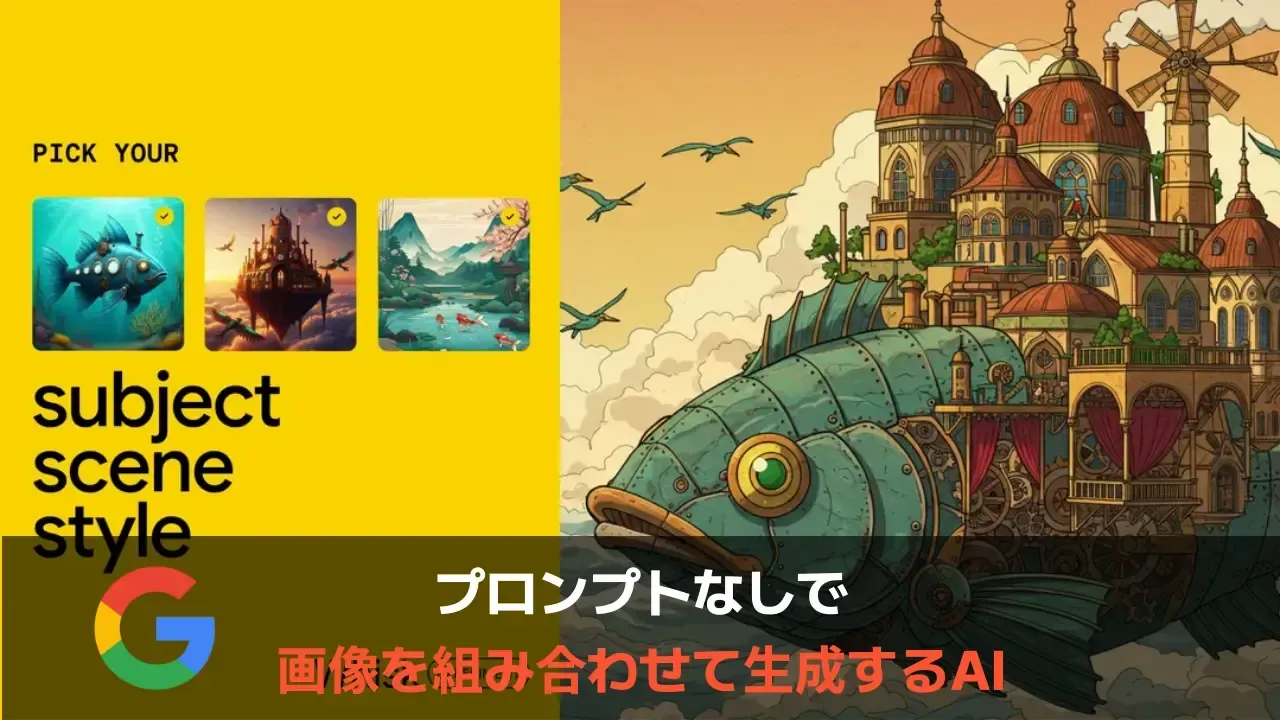
HowtoAI · AI image · Revisited
?Who this is for
- You looked up how to use Google Whisk, opened it, and landed on a different tool called Flow
- You want to know what happened to the images you made in Whisk
- You want to combine your own photos into product shots or social media images
!What you will learn
- When Whisk ended, and where it went
- What our 2025 how-to got right, and what it got wrong
- How to combine images in Flow now, and what to watch for on rights

Hi, I'm Hikari.
If you came here looking for how to use Whisk, there's something you should know first: Whisk shut down on April 30, 2026, and its image-combining features moved to Google Flow. In this article I'll walk you through what happened, what our 2025 guide got right and wrong, and how to make the same kind of images in Flow now, with a few notes on rights.
What happened to Google Whisk
Whisk, Google's AI image tool, shut down on April 30, 2026. Its main features moved to Flow, Google's image and video creation tool. If you open Whisk's old address (labs.google/fx/tools/whisk) today, you are sent to Flow (flow.google.com). We checked the redirect on October 26, 2026.
Here are the main events in order.
| When | What happened |
|---|---|
| Dec 16, 2024 | Google Labs announces Whisk. You drop in images for a "subject", a "scene" and a "style", and it combines them. Behind the scenes, Gemini writes a caption for each image and the Imagen 3 image model generates from those captions. At first it is available only in the US. |
| Feb 12, 2025 | Whisk expands to more than 100 countries and territories, including Japan. Our original article, written in Japanese, dates from this time. |
| Apr 15, 2025 | "Whisk Animate" arrives. It turns a Whisk image into an 8-second video with the Veo 2 video model. |
| Feb 25, 2026 | Google announces that Whisk's and ImageFX's features are moving into Flow. Flow gets the Nano Banana image model, and from March, users can opt in to move their Whisk work to Flow. |
| Feb 26, 2026 | Google announces a new image model, Nano Banana 2. It becomes Flow's default image model and, Google says, generates without using credits. |
| Mar 12, 2026 | The official Google Workspace blog announces that Whisk will end on April 30. It says any images left in the library after that date will be permanently deleted and cannot be recovered. |
| Apr 30, 2026 | Whisk shuts down. |

HIKARI'S TAKEWhisk is gone as a separate tool, and Flow has taken over its image-combining features. If you're searching for how to use Whisk, what you want now is how to use Flow.
Why Whisk moved to Flow
Google describes this as a move, not a shutdown. In its February 25, 2026 blog post, Google said it was bringing the best features of its image experiments, Whisk and ImageFX, directly into Flow. The reason it gave: to let you create, edit and animate images in one workspace.
Flow started out as a tool for making and editing AI video. With this update, image generation moved to the center of the screen, and the images you make can go straight into a video as an ingredient or a first frame. Flow also gained a way to select part of an image and change only that area with a prompt.
Whisk could already turn images into short videos from April 2025. But making the image and animating it happened in separate places. In Flow, you move between the two on one screen.
HIKARI'S TAKEThe official reason is to let you make images and video in one place. I find it helps to think of it this way: Whisk's idea didn't disappear, it moved into a bigger toolbox.
Checking our 2025 Whisk how-to
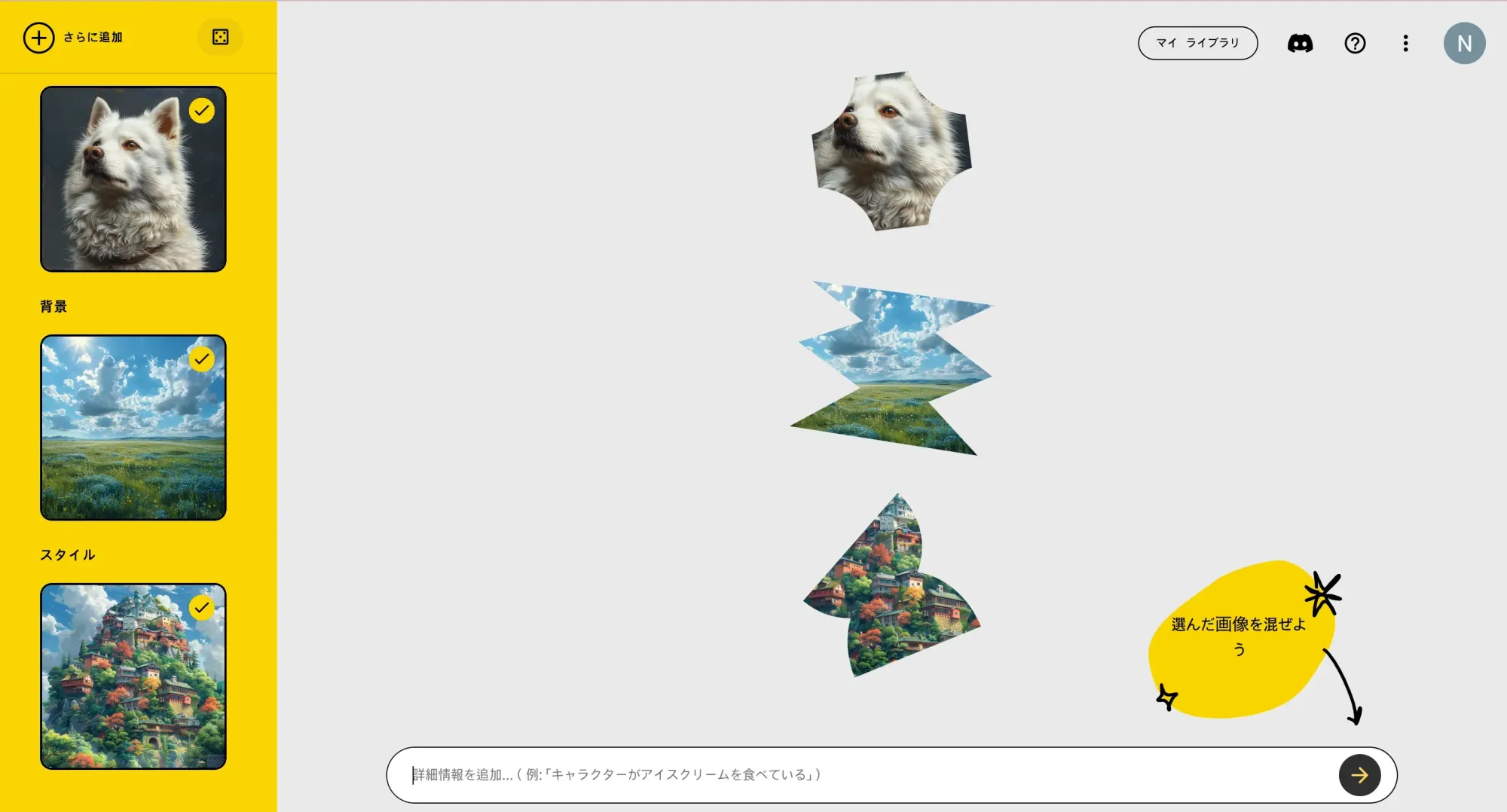
In February 2025, right after Whisk became available in Japan, we published a step-by-step guide to it, with screenshots, in Japanese. Here is how what we wrote then holds up today.
| What we wrote | Looking back | Verdict |
|---|---|---|
| You can make a new image by combining subject, scene and style images, without writing any text | Exactly as Google described it. The idea of adding images as "ingredients" lives on in Flow. | Accurate then |
| The underlying technology is the Imagen 3 image model | Accurate then (Gemini wrote the captions, Imagen 3 made the images). Flow's image models are now the Nano Banana family. | Accurate then |
| Not yet available in Japan, so join the waitlist | We added a note that it was available in Japan from February 12, 2025, but the FAQ still said it wasn't. | Wrong |
| Prompts work better in English than in Japanese | Google recommended English from the start, and Flow's help pages still recommend English prompts for best results. | Right |
| Not suited to detailed editing | True of Whisk. Flow added a way to select an area and change only that part. | Half right |
| The Veo 2 video model, announced at the same time, should open up more uses | Whisk Animate brought video in April 2025. But Whisk itself ended in April 2026, and the place it grew into was Flow. | Half right |
Our biggest miss was not writing a single line about the rights to the images you put in.
We gave the example of using your own photo as the model, but said nothing about what happens if you put in someone else's photo, a famous character, or another company's product shot. In a tool that combines images, the images you put in are where rights problems start. We cover this in section 6.
HIKARI'S TAKEOur feature descriptions were mostly right for the time. What we got wrong was how we described availability in Japan, and the outlook. What we left out was rights.
If you made images in Whisk
The official Google Workspace blog (March 12, 2026) gave these instructions ahead of the shutdown.
- A notice inside Whisk let you move your work to Flow. Nothing moved automatically; only people who opted in were covered.
- Until the deadline, you could also download images directly from Whisk.
- Images still in the library after April 30, 2026 are permanently deleted and cannot be recovered.
If you opted in, check your library in Flow. Whisk and Flow use the same AI credit system, so Google says any credits you had left carry over to Flow.
In countries and regions where Flow isn't offered, Whisk simply stopped working on April 30, with nowhere to move to. The US is on the list of countries where Flow is available.
HIKARI'S TAKEIf you didn't opt in, your Whisk images are gone. If you downloaded any, those files are the only copies left, so keep them somewhere safe.
How to use Flow to combine images, the way Whisk did
Making a new image from photos you already have is something you now do in Flow. Based on Flow's help pages, here is how to get started and how to make an image (checked October 26, 2026).
- Open Flow on a computer. Go to flow.google.com in a Chromium-based browser such as Chrome or Edge, and sign in with your Google Account. Google recommends a desktop computer for the detailed editing tools.
- Open a project and choose "Image". In the prompt box, click the model name and choose "Image". This is also where you pick the aspect ratio, the number of outputs and the model.
- Add the images you want to combine as ingredients. Hover over an image in your project, open its menu and choose "Add to Prompt". It then serves as a reference for your prompt.
- Describe each image's role and click "Generate". Whisk's "model", "background" and "style" slots are gone. Instead, write which image is for what, for example: "Put the dog from the first image in the meadow from the second, painted in the style of the third."
- Use "Agent" to make changes. Turn on Agent, drag the image you want to edit into the prompt box, and describe what to change. The original image is kept.
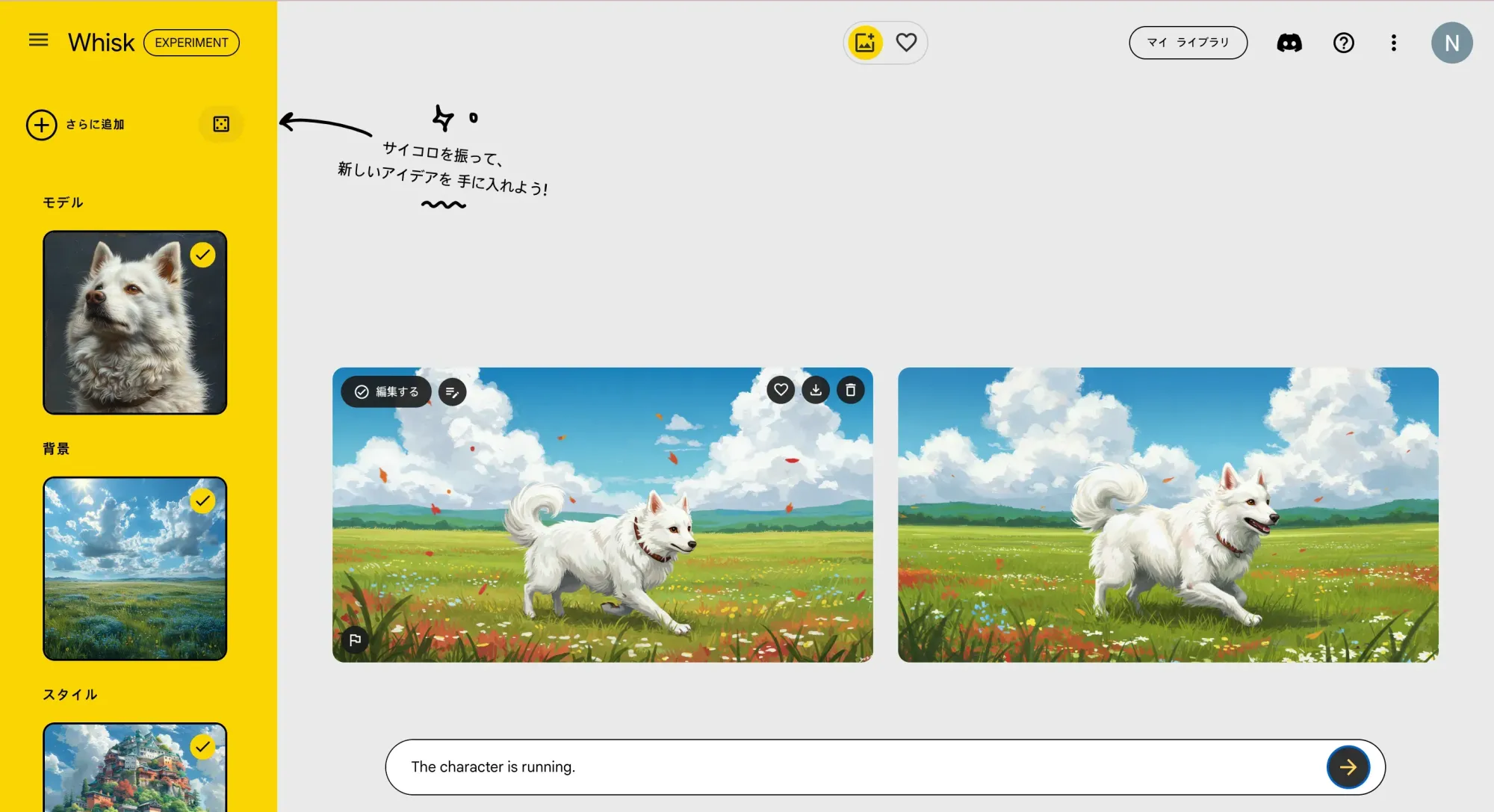
You can choose from three image models: Nano Banana 2 Lite, the default model available at no charge; Nano Banana 2.1, which balances speed and quality; and Nano Banana Pro, which handles detailed instructions best. Nano Banana Pro is the default model on Google AI Ultra, the top plan.
50 credits a day. For images, you can use the default model, Nano Banana 2 Lite, at no charge.
200 credits a month, on top of the 50 a day.
1,000 credits a month, on top of the 50 a day. The better fit if you make a lot of video.
Prices are from Google's Gemini subscriptions page for the US and credit amounts from Flow's help pages, both checked on October 26, 2026. On the same page, Google AI Ultra starts at $99.99 a month. Unused credits do not roll over to the next day or the next month. In the US, if you run out, Google AI Pro and Ultra subscribers can buy extra AI credits (Google excludes Japan from this); Google's help pages disagree on whether AI Plus subscribers can. Nano Banana 2 is also available in the Gemini app.
HIKARI'S TAKEWhisk's three slots are gone, but if you add images as ingredients and describe their roles, you can make the same kind of image. Prices and credit costs change often, so check the screen before you generate.
Rights when you combine images, and what Whisk's end teaches us
With a tool like Whisk, where you put images in, you need to think about the rights to those images before you think about the result.
Flow's help pages say your use must follow Google's Terms of Service, that Google won't claim ownership of original content you generate, and that there are policies against generating harmful or illegal content. Images and videos made in Flow also carry SynthID, an invisible digital watermark. Google not claiming ownership does not mean you are free to infringe someone else's rights.
In the US, the Copyright Office's report on copyrightability (Part 2, January 2025) says prompts alone do not make you the author of an AI output. But when you put in your own copyrightable work, such as a photo you took or a drawing you made, and it is still perceptible in the output, you remain the author of at least that part. The other side follows from general copyright principles, AI or not: an output that copies someone else's work and is substantially similar to it can infringe. When you use that work as a reference image, the copying is easy to show. Using real people's faces raises a separate issue, the right of publicity under state law. The Copyright Office's Part 1 report (July 2024) looked at AI digital replicas and called for a federal law.
With that in mind, we settle these four things first.
- Only put in images you took yourself or have permission to use. No photos of other people's faces, no anime or game characters, no other companies' logos or product shots.
- Have a person check the result before using it for work. Look for anything too close to the source images or to existing works.
- Keep what you make. In Whisk, images that weren't moved disappeared after the deadline. Save yours to your company drive.
- Keep the recipe, not the tool. Which photo, in which scene, in what style. That note carries over to the next tool as it is.
HIKARI'S TAKEIn a tool you feed images into, what you put in matters most. And save what you make somewhere outside the service, too.
Common questions about Whisk's shutdown and Flow
Can I still use Whisk?
No. It shut down on April 30, 2026. The old address now redirects to Flow.
Can I get back the images I made in Whisk?
Only images you moved to Flow or downloaded before the deadline still exist. Google says images left in the Whisk library after April 30 were permanently deleted.
Is Flow free?
You get 50 credits a day without a subscription, and Google says the default image model, Nano Banana 2 Lite, is available at no charge. Other models and video use credits.
Is Flow available in the US?
Yes. The US is on Google's list of countries where Flow is available, for users 18 and over. Google recommends English prompts for best results.
SOURCES
- Google, "Whisk: Visualize and remix ideas using images and AI" (December 16, 2024) blog.google/technology/google-labs/whisk
- Google Japan Blog (in Japanese, February 12, 2025) blog.google/intl/ja-jp/company-news/technology/whisk
- TechCrunch, "Google's Veo 2 video generator comes to Gemini" (April 15, 2025) techcrunch.com
- Google, "New ways to create and refine content in Flow" (February 25, 2026) blog.google
- Google, Nano Banana 2 announcement (February 26, 2026) blog.google
- Google Workspace Updates, "Whisk is moving to Flow on April 30, 2026" (March 12, 2026) workspaceupdates.googleblog.com
- Google Flow Help, "Where you can use Flow" (checked October 26, 2026) support.google.com/flow/answer/16353544
- Google Flow Help, "Get started with Google Flow" (checked October 26, 2026) support.google.com/flow/answer/16353333
- Google Flow Help, "Create & edit images in Google Flow" (checked October 26, 2026) support.google.com/flow/answer/16729550
- Google Flow Help, "Learn about Google Flow models & supported features" (checked October 26, 2026) support.google.com/flow/answer/16352836
- Google Flow Help, "Manage your Google Flow credits" (checked October 26, 2026) support.google.com/flow/answer/16526234
- Google One Help, "Manage your AI credits with Google One" (checked October 26, 2026) support.google.com/googleone/answer/16287445
- Gemini subscriptions (United States, checked October 26, 2026) gemini.google/us/subscriptions
- U.S. Copyright Office, "Copyright and Artificial Intelligence, Part 2: Copyrightability" (January 29, 2025) copyright.gov (PDF)
- U.S. Copyright Office, Copyright and Artificial Intelligence (report parts, including Part 1: Digital Replicas, July 31, 2024; checked October 26, 2026) copyright.gov/ai
HowtoAI is the AI how-to series we have run in Japanese on multifverse.com since 2024. With our company now named ATATAKAI Digital, the series continues from October 2026 as one category of this blog. Thank you for reading, and we hope you will keep following along.
Which work should AI do, and how?
Tools come and go. We help you work out where AI actually pays off in making product images and marketing materials, and what you should keep in your own hands.
Talk to ATATAKAI Digital
Updated Oct 26, 2026
Read next
How to use Suno Covers: v6 steps, limits and the rights rules
How to use Suno's Covers feature under today's rules. We go through the steps in v6, pricing and download limits, and what the rights rules mean when you use a cover for work.
ChatGPT vs Gemini vs Copilot vs Perplexity vs DeepSeek (2026)
We compared ChatGPT, Gemini, Copilot, Perplexity and DeepSeek again, as they are today. How to read the DISC personality comparison from our earlier article, what each AI is good for now, how to set the tone yourself, and what to check before using them at work.