How to use Google ImageFX now that it's part of Google Flow
ImageFX, Google's free AI image generator, has been folded into Google Flow along with Whisk and no longer runs on its own. We check our 2024 how-to against today, show how to find the images you made, and explain how to make images in Flow now, with notes on plans, prices and rights.
 By Jeensuk Yang
HowtoAI · AI images · Revisited
?Who this is for
- You looked up how to use ImageFX, and the link sent you to a different screen (Flow)
- You want to know whether the images you made with ImageFX still exist
- You want to start using Google's free AI image tool for work or a side business
!What you will learn
- When ImageFX moved, and where it went
- What our 2024 how-to got right, and what it got wrong
- How to make images in Flow now, and what to watch on price and rights

Hi, I'm Hikari.
If you came here looking for how to use ImageFX, there's something you should know first: ImageFX no longer runs as a separate service. Google's Flow has taken it over. In this article I'll walk you through what happened, what our 2024 guide got right and wrong, and how to make images in Flow now.
What happened to ImageFX
ImageFX, Google's free AI image generator, has been merged into Flow, a Google Labs service for making images and video in one place. Whisk, another Google Labs tool, went the same way. Google Labs announced the plan on February 25, 2026, and the press reported April 30, 2026 as the last day to create in ImageFX and Whisk. On October 26, 2026, the old ImageFX address (labs.google/fx/tools/image-fx) redirects to Flow (flow.google.com).
That is about two years and three months after launch. Here are the main events in order.
| When | What happened |
|---|---|
| Feb 1, 2024 | Google Labs launches ImageFX on the Imagen 2 model. It has "Expressive Chips," which let you swap words in your prompt, and every image carries an invisible watermark called SynthID. It first opens in the US, New Zealand, Kenya and Australia. |
| May 2024 | We publish our ImageFX how-to, in Japanese. We later add notes on screen changes and Japanese-language support. |
| Dec 16, 2024 | Google says the improved Imagen 3 is coming to ImageFX in more than 100 countries. The same day, it launches Whisk, which combines images into new ones, in the US. |
| Feb 25, 2026 | Google Labs announces a major Flow update. It says the best features of Whisk and ImageFX will move straight into Flow, so you can generate, edit and animate in one place. From March, Whisk and ImageFX projects and assets can be moved into the Flow library. |
| Mar 12, 2026 | The official Google Workspace blog says Whisk ends on April 30, 2026, and any media left in its library after that date will be permanently deleted. |
| Apr 30, 2026 | The date reported as the last day to create in ImageFX and Whisk. |
| Oct 2026 | The old ImageFX address redirects to Flow (checked October 26). |

HIKARI'S TAKEImageFX didn't vanish so much as move into Flow. If you open the old ImageFX address today, it takes you straight to Flow.
Checking our 2024 ImageFX how-to
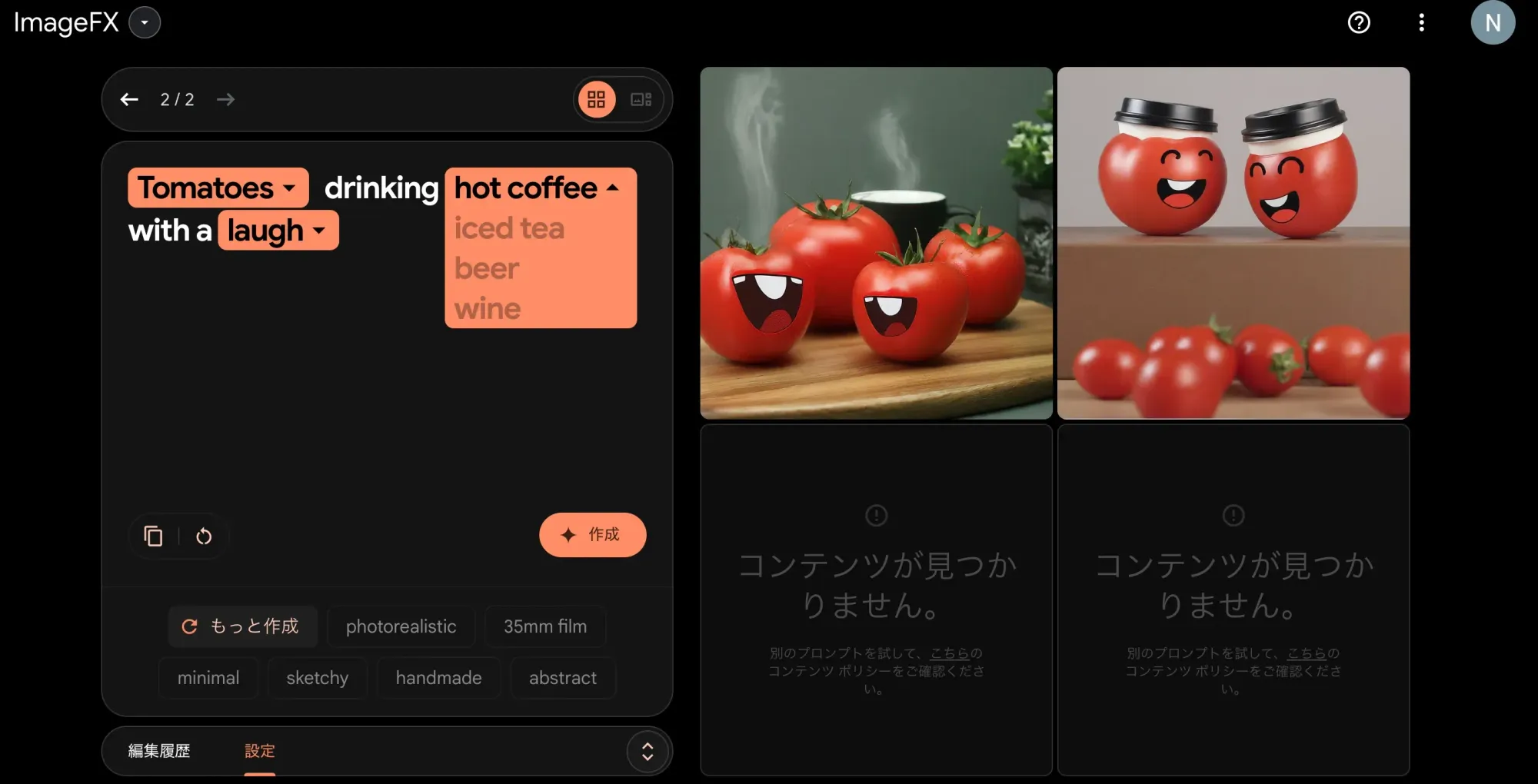
In May 2024 we published a step-by-step guide to ImageFX, with screenshots, in Japanese. Here is how what we wrote then holds up today.
| What we wrote | Looking back | Verdict |
|---|---|---|
| Free to use with a Google account | True at the time. Flow today also has an image model that costs nothing and a free allowance of 50 credits a day. Higher-end models and video do use credits. | Accurate then |
| Sign in through the AI Test Kitchen site | It later moved to the Google Labs site, and the old address now redirects to Flow. | Not anymore |
| Japanese prompts work, but English gets you closer to what you want | Flow's help pages also recommend English prompts for the best results. | Right |
| Expressive Chips and seed numbers let you vary words and mood and try again | Flow's help pages don't describe a feature by that name. Now you mostly fix an image by describing the change you want. | Not anymore |
| Paint over an area with a brush to redraw just that part | Flow can still edit part of an image. You put the image in the prompt box and describe the change. The original is kept, and you can go back through the history. | Half right |
| Midjourney is a bit harder to use because it runs through Discord | Midjourney opened its web app to everyone in August 2024, so you no longer need Discord. | Not anymore |
Our biggest miss was not writing a single line about rights, or about how the images could be used.
We explained the buttons and features carefully. We did not say whether you could use the images for work, or what to do if the tool produced something that looked like someone else's work or face. We also didn't mention that the service might end one day and take your images with it. Reading it again now, those were the things that mattered to users.
HIKARI'S TAKE"It's free" and "English works better" still hold. The screens and the small features have all changed, and leaving out rights is the part we regret.
What happened to the images you made with ImageFX
In its February 2026 announcement, Google Labs said that from March you could move Whisk and ImageFX projects and assets into the Flow library. For Whisk, Google stated officially that the move was opt-in, not automatic, and that media left in the library after April 30 would be permanently deleted and could not be recovered.
If you made images with ImageFX, check in this order.
- Look in your Flow library. Sign in to flow.google with the Google account you used for ImageFX and see whether the images you moved are there.
- If you find them, download a copy. In Google Takeout (takeout.google.com), click "Deselect all," check only Flow, then click "Next step" and "Create export." You'll get an email when it's ready, and the link works for 7 days.
- Open the files. The images are all in the media folder. Each one has a metadata file (JSON) that records the prompt and aspect ratio you used.
- Check your computer's Downloads folder too. Images you saved with the download button back then are still on your computer, whatever happened to the service.
HIKARI'S TAKEStart with your Flow library and your Downloads folder. If you find images, download them today so you have your own copy.
How to make images in Flow, now that ImageFX is gone
Flow is Google Labs' tool for making images and video. It is available in the United States, in English, to people 18 and older. The image models are now the "Nano Banana" series.
Based on Google's help pages, here is how to make your first image.
- Go to flow.google and sign in. Google recommends a desktop computer with a Chromium-based browser such as Chrome.
- Open a project. Flow groups your images and videos by project.
- Click the model name in the prompt box and choose "Image." You can pick the aspect ratio, the number of outputs and the model. To try it for free, choose Nano Banana 2 Lite, which Google says costs nothing.
- Describe the image you want and click "Generate." You can add a reference image too.
- To make changes, turn on "Agent." Drag the image into the prompt box, describe the change, such as "make it black and white," and click "Generate." The original is kept, and the "History" panel shows earlier versions and the prompts you used.
Here is how the free allowance and the paid plans fit together. Monthly prices are from Google's US plans page and credits from Flow Help, both checked on October 26, 2026.
| Plan | Monthly price (US) | Flow credits |
|---|---|---|
| No subscription | $0 | 50 a day only |
| Google AI Plus | $4.99 | 50 a day + 200 a month |
| Google AI Pro | $19.99 | 50 a day + 1,000 a month |
| Google AI Ultra | $99.99 or $199.99 | 50 a day + 10,000 or 25,000 a month |
The higher-end image models (Nano Banana 2.1 and Nano Banana Pro) and video generation use credits. If you run out, you can buy more AI credits. Google One Help says Google AI Pro and Ultra subscribers can buy them in countries where Flow is available, except Japan, so the US is included. There is also a Google Flow mobile app, but the desktop version has the most editing features.
HIKARI'S TAKEStart by making one image with the free Nano Banana 2 Lite. You can think about a paid plan once you actually run short.
Before you use Flow (formerly ImageFX) images for work
This is the part our 2024 article left out: rights and how the images can be used. Before you put an image on a flyer, a social post or a slide, check the following.
| Topic | The current rules |
|---|---|
| Ownership | Google's Terms of Service (effective July 30, 2026) say Google won't claim ownership of original content you generate. |
| Copyright (US) | The U.S. Copyright Office's January 2025 report (Part 2: Copyrightability) concluded that AI output can be protected only where a human author has determined sufficient expressive elements. Prompts alone are not enough. |
| Prohibited uses | Google's Generative AI Prohibited Use Policy bans, among other things, infringing other people's intellectual property or privacy, impersonating people, and deceiving people by passing off AI output as human-made. |
| Watermarks | ImageFX images carried the invisible SynthID watermark from the start. Since August 2026 you can turn off the visible watermark in Gemini and Flow, but reports say the SynthID and C2PA data stay in the file. |
| What you enter | According to Flow Help, your interactions may be checked by trained reviewers and kept for up to 18 months, separately from your Google Account. You can turn off "Help improve Google Flow" in settings. |
"Google won't claim ownership" does not mean the image is free of other people's rights. Before we use an image for work, we check these four things.
- Does it look like a real person, or another company's logo or character? If it does, don't use it, even if the tool made it.
- Did you put client names or internal documents in the prompt? Leave out anything you wouldn't want someone else to see.
- Are you hiding that AI made it? Where it's expected, say that the image was made with AI.
- Did you save the original file on your company drive? Keep the prompt you used with it.
HIKARI'S TAKEGoogle treats the images you make as yours, but it's up to you to check you aren't borrowing someone else's rights. When in doubt, leave it out.
Prompting habits from our ImageFX article that still work
The buttons have moved, but the way we built prompts in 2024 works just as well with Nano Banana in Flow and with other AI image tools. The trick is to add one layer at a time.
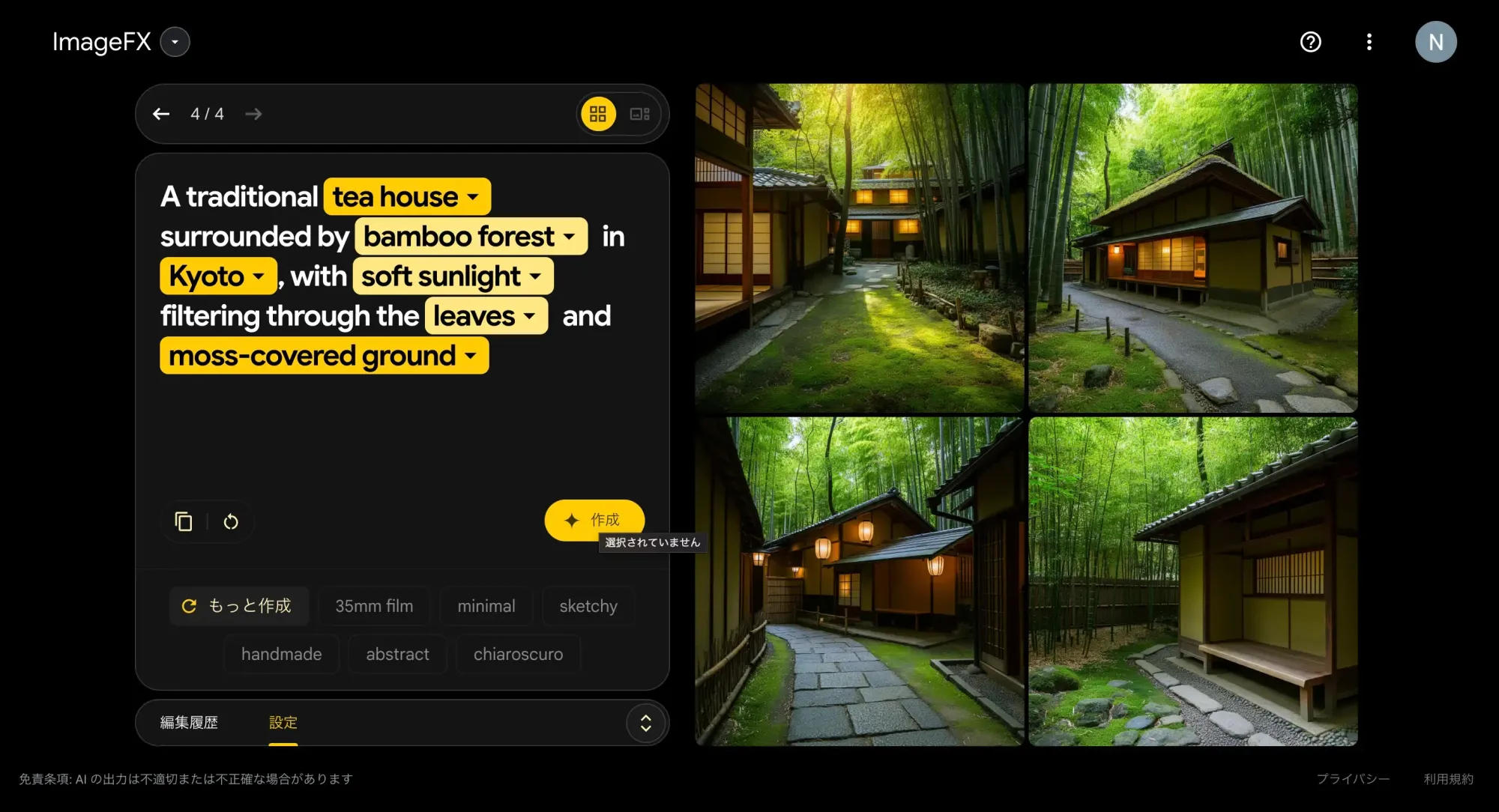
- Pick one subject. Example: a tea house surrounded by bamboo forest in Kyoto.
- Add visual detail. Light, color, texture. Example: soft sunlight filters through the leaves and falls on the mossy ground.
- Name the style. Photo, watercolor, ink painting, poster and so on.
- Add the mood in a word. Quiet, nostalgic, lively.
- Don't mix words that clash. Don't put "a quiet shrine at night" and "a lively festival" in the same sentence.
- Save prompts that work in your own notes. Tools change, but the way you write carries over.
As in the ImageFX days, Flow Help recommends English prompts for the best results, so writing in plain, specific English is already a good start.
HIKARI'S TAKETools change, but writing in the order subject, detail, style, mood stays useful. Keep the prompts you like, together with the images.
Common questions about ImageFX and Flow
Can I still use ImageFX?
Not as a separate service. As of October 26, 2026, the old ImageFX address redirects to Flow (flow.google.com). Flow has taken over ImageFX's image generation features.
Can I get back the images I made with ImageFX?
If you moved them to Flow from March 2026 on, they are in your Flow library, and you can download them all with Google Takeout (takeout.google.com). We found no official guidance on recovering images that weren't moved before the deadline.
Is Flow free?
Flow's credits help page says you get 50 credits a day with or without a subscription, and the default image model, Nano Banana 2 Lite, costs nothing. Higher-end image models and video use credits. Another help page lists a paid subscription as a requirement, so check your own screen.
Can I use Flow images commercially?
Google's Terms of Service say Google won't claim ownership of original content you generate. Its Prohibited Use Policy still bans infringing other people's rights and impersonating people. In the US, the Copyright Office's view is that images made from prompts alone are not protected by copyright. It's safest not to use anything that looks like a real person or another company's character.
SOURCES
- Google, "Google Labs: How to try ImageFX and MusicFX generative AI tools" (February 1, 2024) blog.google/technology/ai/google-labs-imagefx-textfx-generative-ai
- Google, "Updates to Veo, Imagen and VideoFX, plus introducing Whisk in Google Labs" (December 16, 2024) blog.google/technology/google-labs/video-image-generation-update-december-2024
- Google, "Flow updates: New changes to Google AI video editing tool" (February 25, 2026) blog.google/…/flow-updates-february-2026
- Google Workspace Updates, "Whisk is moving to Flow on April 30, 2026" (March 12, 2026) workspaceupdates.googleblog.com
- Design Offset (in Japanese, March 1, 2026) design-offset.com
- Old ImageFX address (redirect to Flow checked October 26, 2026) labs.google/fx/tools/image-fx
- Google Flow Help, "Get started with Google Flow" (checked October 26, 2026) support.google.com/flow/answer/16353333
- Google Flow Help, "Create & edit images in Google Flow" (checked October 26, 2026) support.google.com/flow/answer/16729550
- Google Flow Help, "Learn about Google Flow models & supported features" (checked October 26, 2026) support.google.com/flow/answer/16352836
- Google Flow Help, "Manage your Google Flow credits" (checked October 26, 2026) support.google.com/flow/answer/16526234
- Google Flow Help, "Where you can use Google Flow" (checked October 26, 2026) support.google.com/flow/answer/16353544
- Google Flow Help, "Manage your data in Google Flow" (checked October 26, 2026) support.google.com/flow/answer/17025472
- Google Flow Help, "Download your Google Flow data" (checked October 26, 2026) support.google.com/flow/answer/17571126
- Google AI plans (United States, checked October 26, 2026) gemini.google/us/subscriptions
- Google, "Everything new in our Google AI subscriptions, fresh from I/O 2026" (May 19, 2026) blog.google/products-and-platforms/products/google-one/google-ai-subscriptions
- Google One Help, "Manage your AI credits with Google One" (checked October 26, 2026) support.google.com/googleone/answer/16287445
- Google One Help, "Purchase Google AI credits" (checked October 26, 2026) support.google.com/googleone/answer/17103110
- Google Terms of Service (effective July 30, 2026, checked October 26, 2026) policies.google.com/terms
- Google, "Generative AI Prohibited Use Policy" (updated December 17, 2024, checked October 26, 2026) policies.google.com/terms/generative-ai/use-policy
- Search Engine Journal (August 17, 2026) searchenginejournal.com
- U.S. Copyright Office, "Copyright Office Releases Part 2 of Artificial Intelligence Report" (January 29, 2025) copyright.gov/newsnet/2025/1060.html
- GIGAZINE (English edition, August 26, 2024) gigazine.net/gsc_news/en/20240826-midjourney-web-app
HowtoAI is the AI how-to series we have run in Japanese on multifverse.com since 2024. With our company now named ATATAKAI Digital, the series continues from October 2026 as one category of this blog. Thank you for reading, and we hope you will keep following along.
Which work should AI images do, and how?
Tools change their names and their screens. We help you work out where AI actually pays off in flyers, social posts and documents, and what you should keep in your own hands, based on how your business runs.
Talk to ATATAKAI Digital
Updated Oct 26, 2026
Read next
Google Whisk has shut down: our old how-to, and how to use Flow now
We rewrote our guide to Google Whisk now that the tool has ended. Whisk shut down on April 30, 2026, and its features moved to Google Flow. What happened, what our original article got right and wrong, and how to combine images in Flow now, with notes on rights.