

HowtoAI · AI at work · Checking results
AI at work · Checking resultsHow to Fact-Check AI Output When You Don’t Know the Work
AI can produce a polished report in seconds. But how do you know it’s right when the work is new to you? Here are five practical checks that go beyond AI fact checking.
 By Jeensuk YangFor 25 years, led IT teams on Korea–China–Japan–US global projects with large companies in the Japanese and US markets, including Fujitsu, Meta and Amway. Now putting that experience to work on small businesses’ first step.
10 min read
Have you ever asked AI to help with something you don’t do every day?
Ask for a report, and you get a report. Ask for a proposal, and you get one with a title, a table of contents, and even tables. The first time you see it, you’ll probably be impressed. It looks far more finished than you expected.
Then you get ready to send it to a customer, or use it in real work, and you hesitate.
“Is this really done?”
The writing is smooth. The format looks right. But you can’t tell whether something important is missing. Are the numbers right? Do the sources actually exist? Would someone who knows this field spot a mistake right away?
Did the AI do a bad job? Not really. If anything, it did too convincing a job. The real problem is something else: because the work is new to you, it’s hard to judge when it’s actually finished.
So here’s the short answer.
Why do you still feel uneasy after AI gives you a result?
When it’s work you do every day, you notice AI’s mistakes quickly.
Think about a quote or estimate you write all the time. A missing line item, a strange calculation, wording you’d never use with a customer. You’d catch those at a glance, because you already know what a good one looks like. You just compare the AI’s version against your experience.
New work is different. You can see the shape of the result, but not the gaps inside it.
- What absolutely has to be included?
- What order should things be done in?
- Which numbers and documents need to be checked against the original?
- What exceptions come up often?
- Who is ultimately responsible?
If these questions are hard to answer, a polished document alone doesn’t tell you it’s finished. A sentence written with confidence is not the same as a sentence that’s been verified.
This is where AI hallucination comes in. Generative AI can present sources that don’t exist, or wrong information, as if it were fact. That’s why important claims and numbers need to be checked against the original source.
But does catching hallucinations mean the job is done? Not quite. Even if every fact is correct, the result isn’t good if it leaves out what your customer needs, or can’t be used in practice.
Why can you keep improving code with AI?
Coding is a helpful example here.
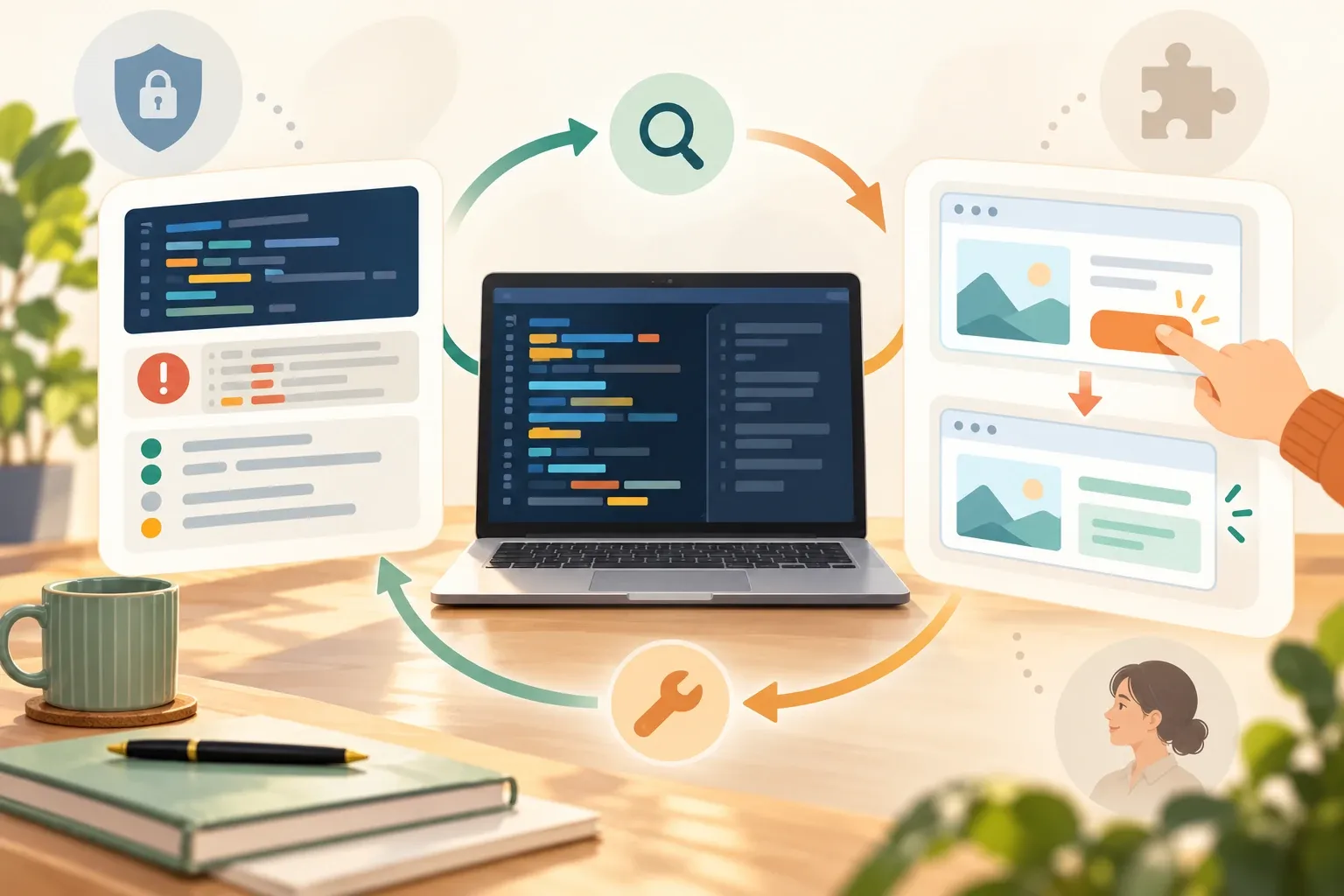
The key isn’t simply that programmers have a tool called a debugger. It’s that coding has a built-in loop: check what you made, and fix it if something’s wrong.
Most development environments show technical signals about the state of the code: run-time errors, logs, test results, and debugging tools. That said, not every coding tool includes a debugger, and the checks available depend on the work and the setup.
And it’s not only technical signals. Does the screen display correctly? Does the button do what it’s supposed to? Does a given input produce the expected output? Those are results and behavior you can see for yourself.
So coding results can usually be checked in two ways:
- Technical signals — find problems through run-time errors, logs, tests, and debugging tools.
- Visible results and behavior — see whether the screen, buttons, and inputs and outputs work as expected.
Experts can go further and judge the code’s structure, design, readability, and how easy it will be to maintain. But even non-experts, without understanding all the code, can catch some failures through these two paths.
- AI writes the code.
- You check the technical signals and how it actually behaves.
- You compare what you expected with what happened.
- You find what isn’t working.
- You fix it and run it again.
Because this “check and fix” loop is fairly clear, coding is a type of work where even less experienced people can go back and forth with AI relatively easily.
Anthropic makes a similar point in its article on evaluating AI agents. Coding tasks are relatively easy to define clearly and to build test environments for. It also explains that an agent doing something and the result being correct should be judged separately.
I don’t think the reason it’s easy to keep using AI for coding is just that debuggers exist. It’s that the work has a built-in way to check results — through technical signals and visible behavior — and fix them again. Since even non-experts can catch some failures, people new to the work can still go back and forth with AI fairly easily. To use AI well in other kinds of work, I think we need to build a similar checking process first.
That doesn’t mean “you can hand coding entirely to AI and it will be completely safe.”
In my experience in the field, when there’s a way to check the result again, it becomes easier for people and AI to refine the result together.
This isn’t proof of why AI use has grown in coding, and it doesn’t mean coding is the No. 1 field for AI use.
And passing a test, or seeing the screen work, doesn’t make the result complete. Security, maintainability, missing requirements, user experience, and business value aren’t guaranteed automatically.
If it passes the tests, is it really a good result?
There’s one line worth drawing here.
Tests only check the conditions we decided to test. They won’t automatically catch customer needs that weren’t included, unexpected exceptions, security issues, code that’s hard to change later, or friction for the people who actually use it.
A program that runs is not the same as a good service. Correct sources are not the same as a good report.
So when you look at something AI produced, it helps to split your review into two questions:
- Is anything wrong? — Check the facts, numbers, quotes, calculations, and sources.
- Is it what we actually need? — Check the purpose, requirements, anything missing, whether it’s usable, and who is responsible.
AI fact checking covers the first question. To know whether the work is truly done, you need the second one too.
Can you build a checking process for reports and proposals, too?
Yes. Even work without a “run” button can have a checking process. You don’t need anything elaborate. Start by writing down these five things.
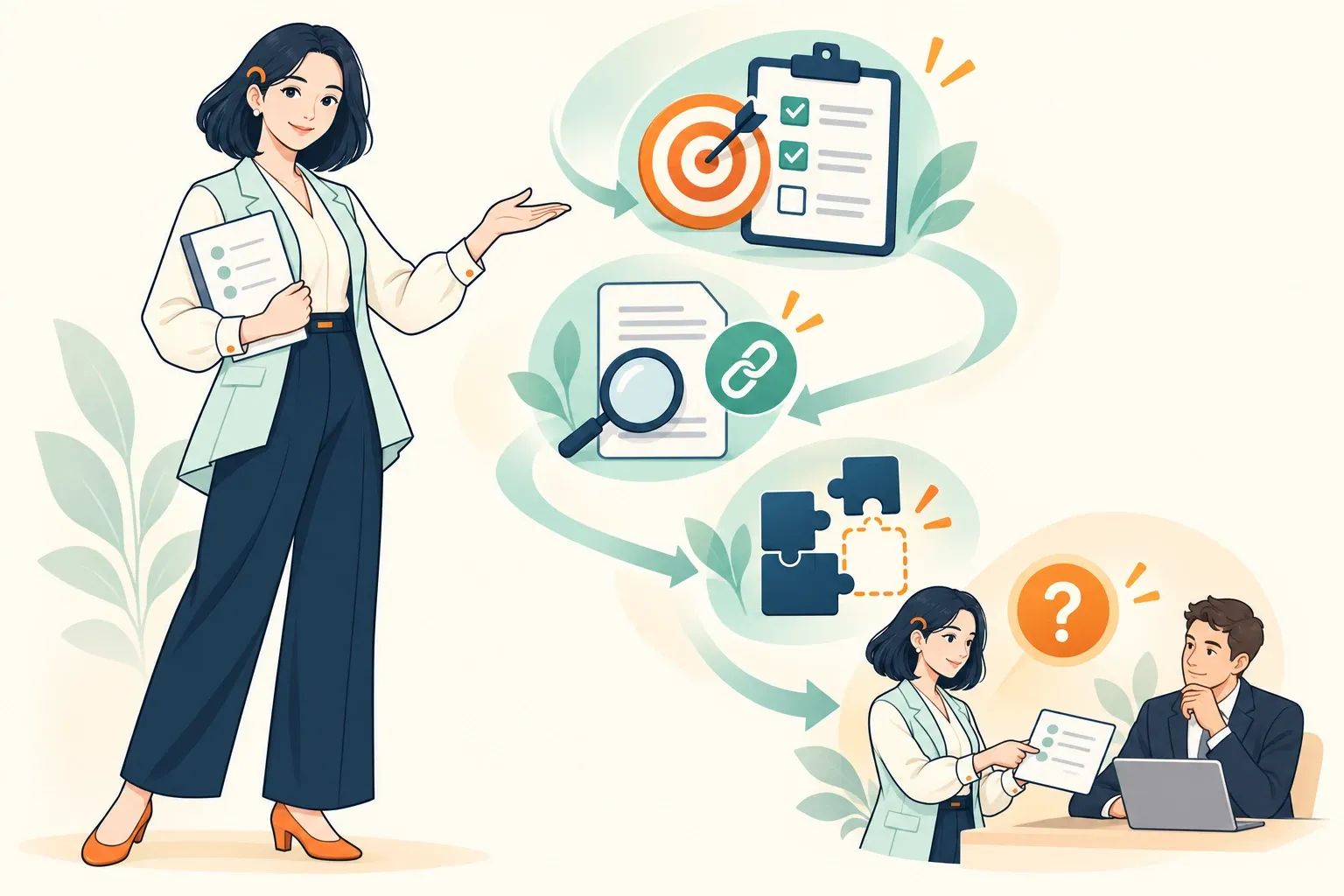
1. Write down what “done” looks like
Before you hand the task to AI, write one sentence about what has to exist for the work to be finished.
Instead of “Write a market research report,” try something specific like this:
Create a report that helps us decide whether to enter a new market, separating the original sources for market size, the main competitors, regulatory points to confirm, and items we haven’t been able to verify yet.
With this in place, you won’t mistake a long document or nice-looking tables for a finished one. You’ll focus on whether you have what you need to make the decision.
2. Separate facts from judgments
Separate things you can verify — dates, figures, laws, company names — from forecasts, recommendations, and interpretations.
Facts need sources. Recommendations need the assumptions behind them. It also matters not to present personal experience or opinion as research findings, and not to turn a claim from a source into your company’s official position.
3. Check sources and numbers another way
Don’t trust the links AI gives you as-is. Open the original. Does the source really exist? Does it actually say that? Do its date and scope fit the work in front of you?
Asking the same AI to “double-check” can help. But it isn’t an independent check. For important information, it’s safer to confirm it another way — through official documents, original data, or a calculation you do yourself.
4. Look for missing requirements and exceptions
A collection of accurate sentences isn’t always a good result.
Check that everything you originally asked for is there, that it’s in a form your customer can actually use, and that counterexamples and conditions where it doesn’t apply haven’t been left out. If you can, put a good past example or a checklist next to it and compare.
5. Mark what you can’t judge
You don’t have to force through the parts you’re unsure about.
Label things as Verified, Use with conditions, Not yet verified, or Needs expert review. Then it’s clear how far you can rely on the result. Writing down what you couldn’t judge — instead of hiding it — is part of a good result too.
How much should you check yourself, and when should you ask an expert?
Not every task needs the same depth of checking.
A rough draft to explore ideas may only need a quick look. But when a mistake would be costly — legal, tax, medical, contracts, safety, or big financial decisions — it’s best to have an expert in that field review it.
The question isn’t “How confident did the AI sound?” Ask these instead:
- Would a mistake be costly?
- Will this be shared outside the company or used to take real action?
- Can I spot errors and gaps myself?
- Is there an original source, calculation, or test I can check against independently?
- Has the person who is ultimately responsible reviewed it?
If some of these are hard to answer, shrink the scope. Instead of handing over the whole job at once, test it first on a small piece you can actually check.
There’s some research worth mentioning here. When Anthropic analyzed how people use Claude Code, it found that the main things people handled were planning decisions: what to do, which approach to take, and what counts as done. Separately, users who knew the task well showed more verifiable signs of success, such as passing tests. This finding is a useful reference when considering why it matters to define what “done” looks like and how you will check it before handing work to AI.
There’s also research showing that how fast you feel and how fast you actually are can differ. In a 2025 study by METR, 16 experienced open-source developers worked on 246 tasks, and when they used AI, the tasks actually took 19% longer. Of course, that result is limited to those participants and tasks, so it can’t be applied to every developer or every job. A 2026 follow-up saw signs that newer tools could speed things up, but noted that selection bias — participants and tasks dropping out because people didn’t want to work without AI — and recruitment issues make the size of the effect hard to trust.
So the point I want to share is this: compare doing the work alone with doing it alongside AI using the same definition of done, the same quality bar, and the same time frame.
Where should you start today?
Pick one task you’d like to hand to AI, and write two sentences.
| This task is done when ____________________. We’ll check that by ____________________. |
Then add one more.
| The part I can’t judge myself and need someone else to check is ____________________. |
Using AI well isn’t just about writing longer prompts. It’s about deciding how far to trust what AI produces, what to check again, and when to hand it to a person.
Between a result that looks convincing and a result you can actually use, there’s one step: checking. Build that step into your work, and AI moves a little closer from a tool that drafts documents for you to a tool that helps you get the work done.
SOURCES
- Anthropic “Demystifying evals for AI agents” (Jan 9, 2026; checked Nov 2, 2026) anthropic.com/research/demystifying-evals-for-ai-agents
- Anthropic “Agentic coding and persistent returns to expertise” (Jun 16, 2026; checked Nov 2, 2026) anthropic.com/research/claude-code-expertise
- METR “Measuring the Impact of Early-2025 AI on Experienced Open-Source Developer Productivity” (Jul 10, 2025; checked Nov 2, 2026) metr.org/blog/2025-07-10-early-2025-ai-experienced-os-dev-study
- METR “We are Changing our Developer Productivity Experiment Design” (Feb 24, 2026; checked Nov 2, 2026) metr.org/blog/2026-02-24-uplift-update
HowtoAI is the AI how-to series we have run in Japanese on multifverse.com since 2024. With our company now named ATATAKAI Digital, the series continues from October 2026 as one category of this blog. Thank you for reading, and we hope you will keep following along.
Which work should AI do, and how?
If you’d like to sort out — starting small — which work to hand to AI and which parts people should check, feel free to reach out. We’ll start with what you can do without forcing changes to the way you work or the tools you use today.
Talk to ATATAKAI Digital
Updated Nov 2, 2026
Read next

Writing email with AI: a first try, and one step further
A two-step way to prepare a business email with AI. Start with one meeting-confirmation email, then go one step further with a reply to a customer inquiry. It includes prompts you can copy, fictional examples and a check list for before you send.