
Writing email with AI: a first try, and one step further
A two-step way to prepare a business email with AI. Start with one meeting-confirmation email, then go one step further with a reply to a customer inquiry. It includes prompts you can copy, fictional examples and a check list for before you send.
 By Jeensuk Yang
HowtoAI · Business email · Hands-on
?Who this is for
- Owners and managers who have never used AI for work
- People who have heard "write email with AI" but do not know what to put in to get something usable
- People who are not sure whether they can send what the AI wrote as is, or how far to trust it
!What you will learn
- The four things you must tell the AI when you ask for an email
- How to write one meeting-confirmation email as a first try (10 minutes), and one step further with a reply to a customer inquiry (20 minutes)
- What a person must always check before sending

Hi, I'm Hikari.
This is not an article to read. It is one to try. You do not need a paid service or any special setup, just the AI chat screen you already use. First write one meeting-confirmation email to get the feel of it, and if you have time, go one step further with a reply to a customer inquiry. Every company and person in the examples is fictional.
What does it mean to write email with AI: what do you hand over, and what do you keep?
You hand the AI the draft. You keep the checking and the sending. If you separate those two jobs from the start, writing email with AI is not hard.
When you write a business email, the time usually goes to two places: starting from a blank page, and choosing the tone. What you want to say is already in your head. AI can take over those two jobs. What it cannot do is know your company's situation, your relationship with the other person, or the dates you have promised. You supply those, and you check them.
When you ask AI for an email, there are four things to tell it.
| Tell it | Example |
|---|---|
| Who it is for | A long-time supplier contact / a customer writing for the first time / a teammate |
| Why (the purpose) | Confirm a meeting / apologize for a late delivery / answer a quote request |
| What (the facts) | Dates, places, what has been decided, and what has not |
| What tone | Polite / short / not too stiff |
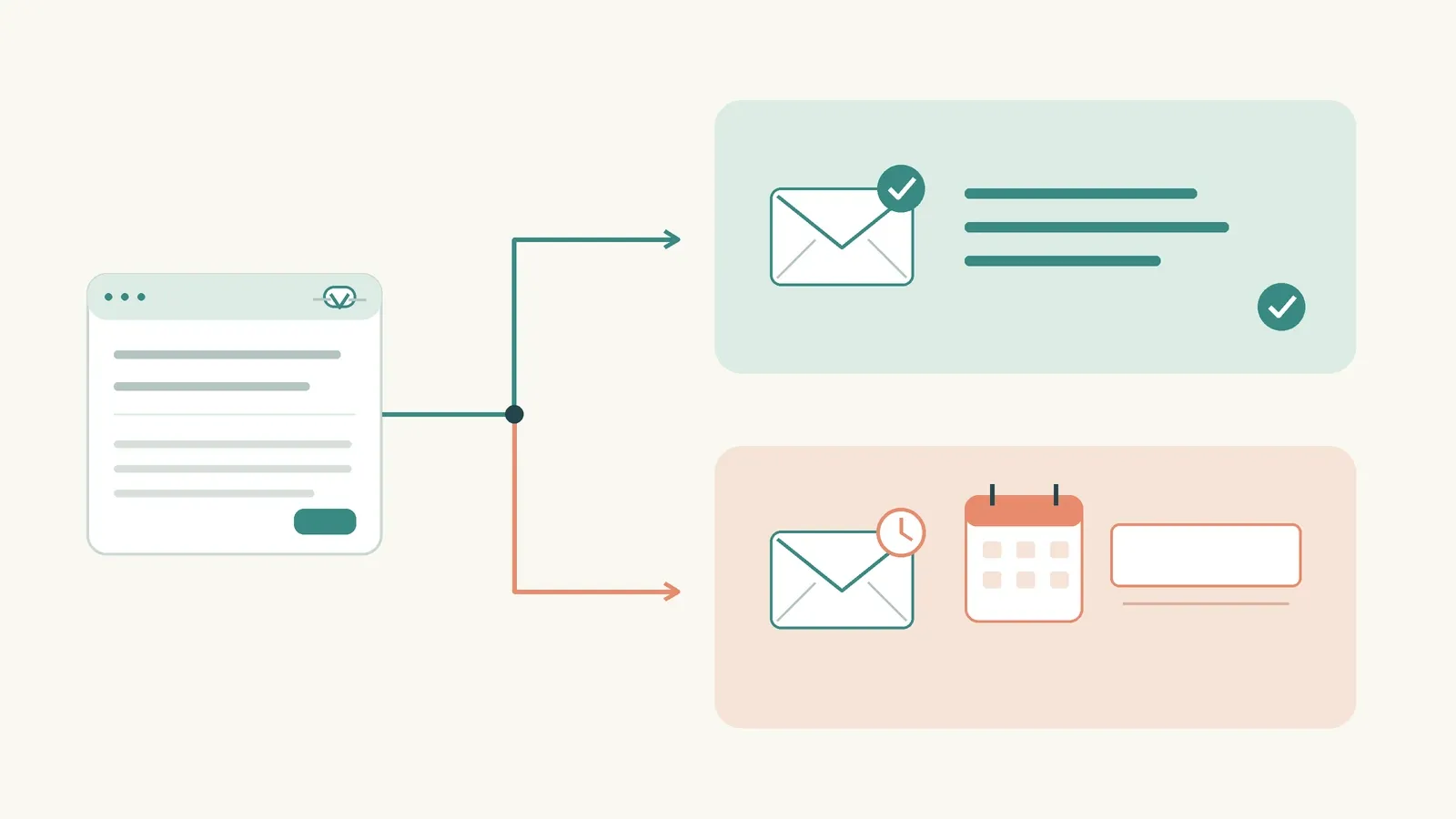
If any of the four is missing, the AI fills the blank with something that sounds right. That is what people mean when they say "AI lies." We did not give it the information, so it made it up. This is called a hallucination. The AI is not deceiving you on purpose. It fills a gap with plausible words, and the more specific your instructions are, the less it happens.

HIKARI'S TAKEAI handles the first sentence and the tone. If you do not tell it who, why, what and what tone, it fills the blanks with guesses.
First try: how do you write one meeting-confirmation email in 10 minutes?
Pick the most routine email you have, change only the brackets in the prompt below, and paste it in. A meeting confirmation is a good first choice. It is short, the facts are clear, and a mistake is easy to spot.
The fictional situation
Dana Reyes, a sales manager at a fictional stationery wholesaler called Skyline Stationery, writes to Sam Park, the owner of a bookstore called Corner Books. They have worked together for three years. She wants to confirm next week's visit.
- Date and time: Wednesday, November 4, at 2:00 p.m.
- Place: the Corner Books store
- Agenda: introduce the winter lineup, and sort out last month's returns
- Relationship: three years of business, comfortable with each other
A prompt you can copy
| Write a draft business email using the conditions below. To: [The owner of a bookstore we have supplied for three years. We are comfortable with each other] Purpose: [Confirm next week's visit and share the agenda in advance] Facts that must appear: - Date and time: [Wednesday, November 4, at 2:00 p.m.] - Place: [Their store] - Agenda: [Introduce the winter lineup, and sort out last month's returns] Tone: [Polite but not stiff. Around 120 words. Include a subject line] Do not add any dates, numbers or promises beyond the facts above. |
Change what is in the brackets to fit your situation. Keep the last line, "Do not add any dates, numbers or promises beyond the facts above." That one line stops the AI from filling blanks with guesses.
An example result (what the AI might give you)
| Subject: Confirming our visit on Wednesday, November 4 at 2:00 p.m. Hi Sam, This is Dana from Skyline Stationery. I wanted to confirm our visit to your store next Wednesday, November 4, at 2:00 p.m. I would like to show you our winter lineup and sort out last month's returns together. If the time needs to change, just let me know. See you Wednesday. Dana |
The correction prompt: once more
If you do not like the draft, do not start over. Tell the AI in one line what to change.
| Good. Please change two things. 1. Change "I wanted to confirm our visit" to "confirming our visit" to keep it shorter 2. Add one line at the end: "I will bring the paperwork for the returns." |
There is one thing to remember here. Say what you want to change as a sentence, not as a feeling. "Add one more line to the greeting" works much better than "make it softer."
Before you send (first try)
- Do the date, day and time match what I gave the AI?
- Is the place right?
- Did the AI add any promise I did not give it (such as "I will send the materials")?
- Did I fill in the other person's name and my own?
- When I read it aloud, does it sound like me?
If all five are right, paste it into your email program and send it. That is about 10 minutes.
HIKARI'S TAKEStart with an email where the facts are clear, like a meeting confirmation. And keep that last line in the prompt: do not add anything beyond the facts above.
One step further: how do you answer a customer inquiry with several questions?
A customer inquiry is different from a meeting confirmation. It has several questions, and some of them you cannot answer yet. So instead of asking for a reply right away, you first ask the AI to sort the inquiry.
The difference in "one step further" is not that the other person is a customer. It is that you and the AI write an email that says what you do not know.
The fictional situation
A fictional packaging company called Plainwell Packaging gets this email from the owner of a fictional cafe, Slow Afternoon Coffee, who is writing for the first time.
| Hello. I would like to order a small batch of takeout cup sleeves. 1. What is the minimum order? 2. Can you print a logo? One color would be fine. 3. If I order now, when would I get them? We open in early December, so I am a little pressed for time. 4. Can I get samples first? 5. Do you take payment up front? |
Here is what the person at Plainwell Packaging knows for certain right now.
| Question | What we know now | Status |
|---|---|---|
| Minimum order | 500 pieces | Confirmed |
| One-color logo | Yes | Confirmed |
| Delivery | Usually 2 to 3 weeks after the design is approved. Early December needs a check of the production schedule | Not confirmed |
| Samples | Plain samples are fine. Printed samples need a check on conditions | Partly confirmed |
| Payment terms | Terms for a first order need approval from a manager | Not confirmed |
Step 1: sort first
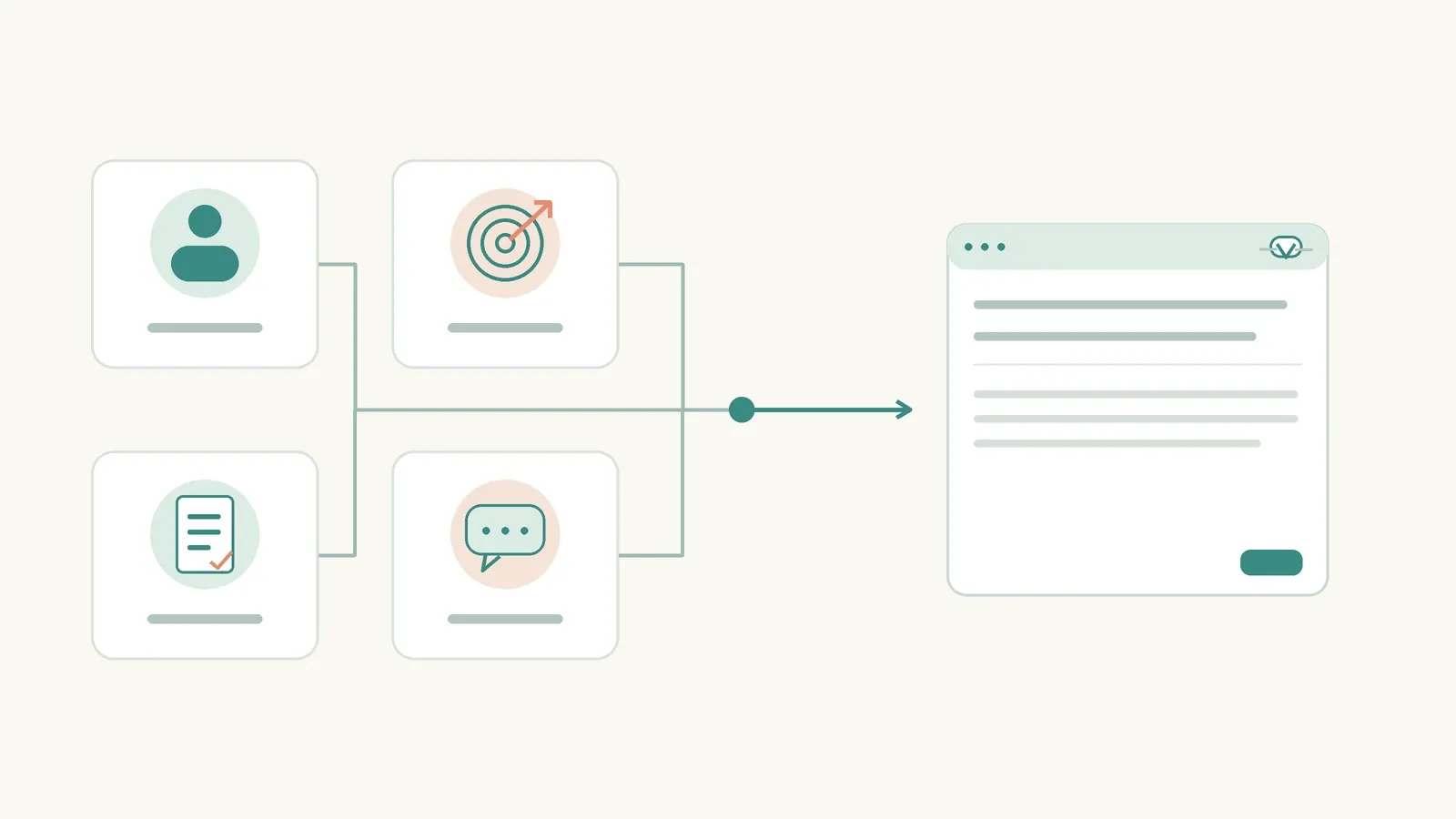
Before writing the reply, use this prompt to sort the inquiry into three groups.
| Below is an email from a customer writing to us for the first time. Before you write a reply, please organize it first. [Paste the customer's email. Remove the customer's name and contact details] Sort it into these three groups and make a table. A. The questions the customer is waiting on (with numbers) B. Of those, the ones I can answer with certainty right now C. Of those, the ones I must check before answering Do not write the reply yet. |
The AI cannot know B and C, so when the table comes back, you fill in the B and C columns yourself. That step is the heart of "one step further." You see with your own eyes what you know and what you do not, before you write.
Step 2: write the reply
Hand over the table with B and C filled in, and ask for the reply.
| Based on the table above, write a draft reply. To: [The owner of a cafe writing to us for the first time. They open in early December and are in a hurry] Purpose: [Answer the certain things right away, and tell them by when we will answer the rest, so they feel reassured] Answer with certainty (B): - [Minimum order is 500 pieces] - [One-color logo printing is possible] - [Plain samples can be shipped] Answer after checking (C): - [Whether early December delivery is possible] - [Conditions for printed samples] - [Payment terms for a first order] For the C items, write "We will check and get back to you by [date]," and leave the date as [ ]. Tone: [Polite and warm. Include one sentence that acknowledges their hurry. Around 150 words] Do not guess specific dates, prices or whether anything is possible for the C items. |
An example result (what the AI might give you)
| Subject: Our reply to your question about cup sleeves Hello, This is Alex Chen from Plainwell Packaging. Thank you for getting in touch while you are busy getting ready to open in December. First, here is what I can tell you now. - The minimum order is 500 pieces. - One-color logo printing is possible. - I can send you plain samples right away. For the three items below, I will check our production schedule and conditions and get back to you by [ ]. - Whether early December delivery is possible - Conditions for printed samples - Payment terms for a first order I will check as quickly as I can so we can meet your opening date. Alex |
Notice that the spot for the date is still empty: [ ]. That is the result we wanted. The AI did not casually fill in "within three days."
The correction prompt: changing the tone
| Keep the content the same and change only the tone. - Change "here is what I can tell you now" to "let me start with what is settled" - Drop the bullet points, join the items into sentences, and make the whole thing a little softer - Before the closing line, add "If you send me your address, I will ship the samples this week." This is a fact I have confirmed, so you can use it as is. |
If you get into the habit of separating facts you vouch for from sentences the AI wrote, as in "this is a fact I have confirmed, so you can use it as is," writing email with AI gets safer and safer.
Before you send (one step further)
- Is each of the customer's five questions either answered or marked "we will check and get back to you"?
- Do the "we will check" items contain any date, price or yes-or-no that I did not give the AI?
- Did I fill in the dates I left as [ ] myself, and can I keep them?
- Did I avoid pasting the customer's real name and contact details into the AI screen?
- Did I read it knowing this one email becomes a promise from the company?
HIKARI'S TAKEWhen there are several questions, say "sort first" before "write the reply." Sort what you know from what you do not, then have the AI write the unknown items with the date left empty.
How far can you trust an email the AI wrote, and where must a person take over?
You can trust the sentences the AI wrote. You cannot trust the facts it wrote. That one line is the rule.
Here are the checks that came up again and again in both paths, gathered in one place. Look at this before you send an email.
| Check | Why |
|---|---|
| Dates, days, times, quantities | AI only copies what you gave it, and sometimes miscopies |
| Promises you did not give | Sentences like "I will send the materials" or "we will give you a discount" are easy for AI to invent in an effort to be helpful |
| Names and forms of address | We never put real names in, so a person fills them in at the end |
| The [ ] you left empty | Is every one filled, and can you keep what you wrote? |
| Does it sound like you? | Read it aloud and change anything awkward into your own words |
And "the draft is ready" and "it has been sent" are completely different things. At no step in this article did the AI send an email. A person presses the send button. Some services use an AI agent that sends email for you, but we do not recommend that while you are just starting. The habit of separating the draft from the sending comes first.
HIKARI'S TAKETrust the AI for sentences, and check the facts yourself. And "draft finished" and "sent" are different. A person sends, every time.
If you wrote one email today, what should you try next?
The next step is to pick the most routine email you have to send today and write it with the prompt in section 02. When that one is done, widen it in this order.
- Write three emails of the same kind. Start with ones that look alike each time, such as meeting confirmations, schedule changes and sending materials. By the third, changing the brackets takes a minute or two.
- Save the prompts that worked. A notes app or below your email signature is fine. You will build up "our company's email prompts" one at a time.
- Use the "sort first" step for other work. Not only customer inquiries, but requests from suppliers and questions from inside the company get answered faster when you sort them into what you know and what you do not.
- Write one line about where time dropped. Was it the time to write the first sentence, or the worry about tone? That one line tells you where to use AI next.
Which AI tool you use does not matter at this stage. Any AI chat screen you can use now is enough, and you can follow every step in this article without a paid service or an email connection. If you start to wonder about choosing a tool or about pricing, read the posts on how to use Copilot then. If you want to sharpen your prompts, the Korean and Japanese posts on ChatGPT prompt writing cover the basics.
HIKARI'S TAKENext is three emails of the same kind. Save the prompts that worked, and write down in one line where your time dropped.
Common questions about writing email with AI
Which AI should I use?
The steps in this article are not tied to any one service. Any AI chat screen you can use now is enough, even the free version. Rules can differ between a company account and a personal one, so check your company's policy before you use it for work.
Can I paste a customer's email in as it is?
We recommend removing anything that identifies someone, such as names, contact details and company names, before you paste. In the examples here, only the content of the customer's email goes in, not who they are. Treat contracts and documents with amounts in them by the same rule.
Will the other person know an AI wrote the email?
The last item in the check list in section 04, "Does it sound like you?", is the answer. If you read it aloud and change anything awkward into your own words, what you send is an email you checked and edited yourself.
Should I avoid features where AI sends the email for me?
We do not recommend them at the first stage. The aim of this article is to build the habit of separating the draft from the sending. Once you have that habit, it is not too late to consider automatic sending.
SOURCES
This article uses only fictional examples and a general way of working. It does not describe any specific product's features, prices or screens, so it cites no outside sources. For how to use a specific tool and its pricing, follow the date each linked HowtoAI post was checked.
HowtoAI is the AI how-to series we have run in Japanese on multifverse.com since 2024. With our company now named ATATAKAI Digital, the series continues from October 2026 as one category of this blog. Thank you for reading, and we hope you will keep following along.
Which work should AI do, and how?
Tools come and go. We help you work out where AI actually pays off in your business, and what you should keep in your own hands.
Talk to ATATAKAI Digital
Updated Oct 27, 2026